 TapWheel
Free for Windows 10 and 11
Drag a file. Tap Shift. Drop it on the wheel.
TapWheel converts images, audio, video, subtitles and archives without opening an app. The new file lands next to the old one, and nothing leaves your PC.
Open source under GPL-3.0. Inspired by Tangerine for Mac.
Drag the photo, then tap Shift
See it in 16 seconds
Two real files: a phone photo turned into a JPG, then a screenshot that came out 64% smaller as a PNG.
Three keys, three wheels
Start dragging and tap a key. The wheel stays open until you drop, so there's no rush. Tap another key to switch wheels.
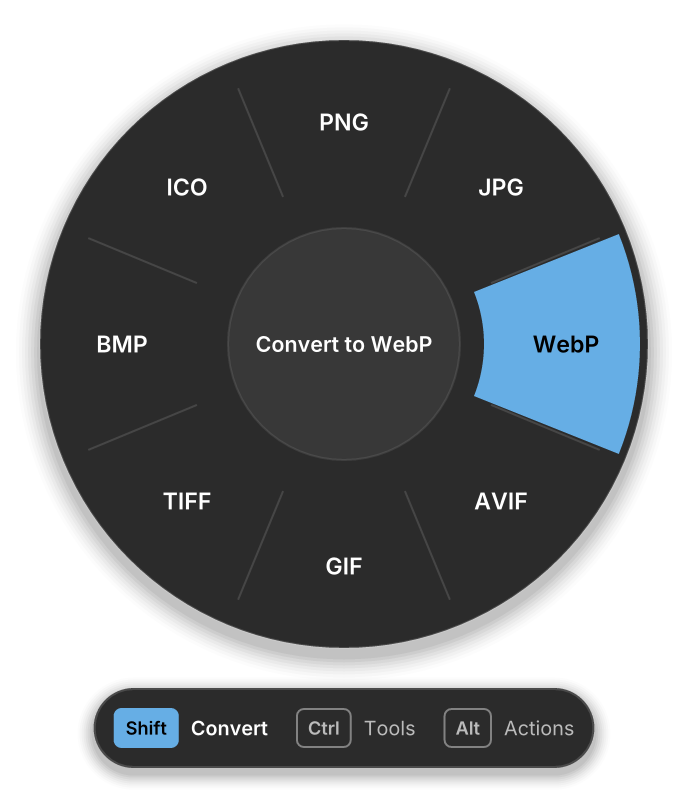
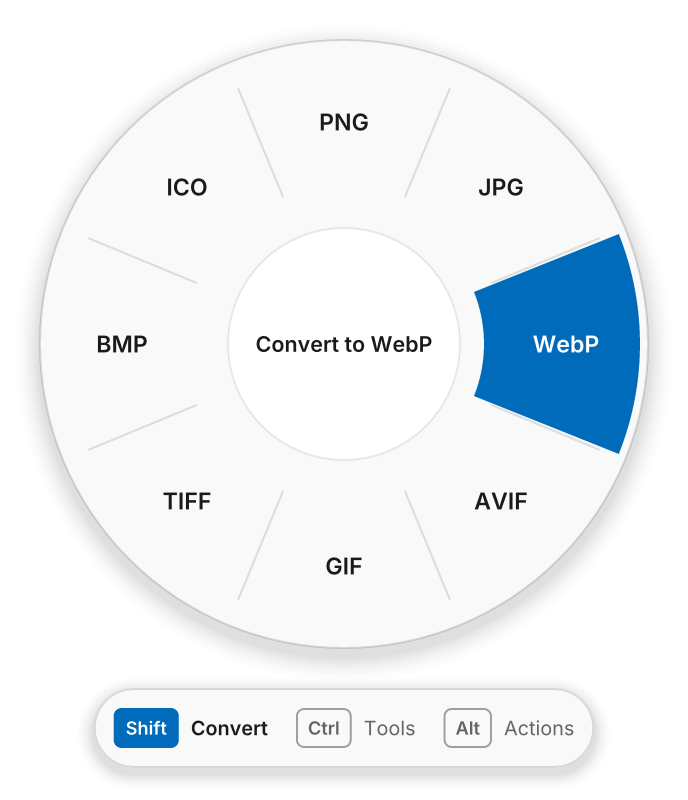
ShiftConvert
Every format the file can become, with your most-used ones first.
- HEIC from your phone to JPG or PNG
- Video to MP4, WebM or a GIF
- Folders and mixed files into one ZIP
CtrlTools
Quick fixes that keep the format.
- Compress images, video and audio
- Resize, rotate and strip location data
- Mute a video or save its sound
AltActions
For any file or folder, no conversion needed.
- Copy the path or the files
- Open a terminal in that folder
- Show it in File Explorer
What it converts
Conversions run on your PC with a copy of FFmpeg that ships inside the app. Originals are never changed, and a new file never replaces one that's already there.
| Images | JPG, PNG, WebP, AVIF, GIF, TIFF, BMP, ICO, and HEIC from phones |
|---|---|
| Audio | MP3, M4A, WAV, FLAC, OGG, Opus |
| Video | MP4, MOV, MKV, WebM, AVI, GIF, and the sound as MP3 |
| Subtitles | SRT, VTT and plain text |
| Archives | ZIP, 7Z, TAR and TAR.GZ, packing and extracting |
Looks like your Windows
TapWheel follows your light or dark mode, your accent colour and high contrast. Windows 11 gets rounded corners and Segoe UI Variable, Windows 10 gets its own flat, square look.
Nothing leaves your PC
Online converters need a copy of your file. TapWheel doesn't connect to anything at all.
- No uploadsFiles are converted on your PC and stay in the folder you dragged from.
- No accountNothing to sign up for, and nothing to sign in to.
- No trackingNo telemetry, no analytics in the app, no update checks.
- Undo built inNew files can go to the Recycle Bin with one click.
Questions
Is it free?
Yes. TapWheel is free and open source under the GPL-3.0 license. There's no paid version, trial or account.
Why does it watch my keyboard?
To notice a tap of Shift, Ctrl or Alt while you're dragging. TapWheel only reacts to those keys and Esc, never records what you type, and passes every key and click on untouched.
Won't Shift turn my drag into a move?
Not when you drop on the wheel. TapWheel always takes a copy, so the original stays where it was. Dropping anywhere else works the way Windows always does.
Does it work on Windows 10?
Yes, on Windows 10 version 1809 or later and on Windows 11, on 64-bit Intel and AMD PCs.
Why doesn't the wheel open in some windows?
Windows doesn't let normal apps see drags that start in an app running as administrator. Drags from File Explorer and the desktop always work.
Is this Tangerine for Windows?
No. Tangerine is a separate Mac app by another developer. TapWheel borrows the idea of converting from a drag and is built from scratch for Windows.
Get TapWheel
The Microsoft Store version updates itself. The zip runs from any folder and adds a right-click entry.